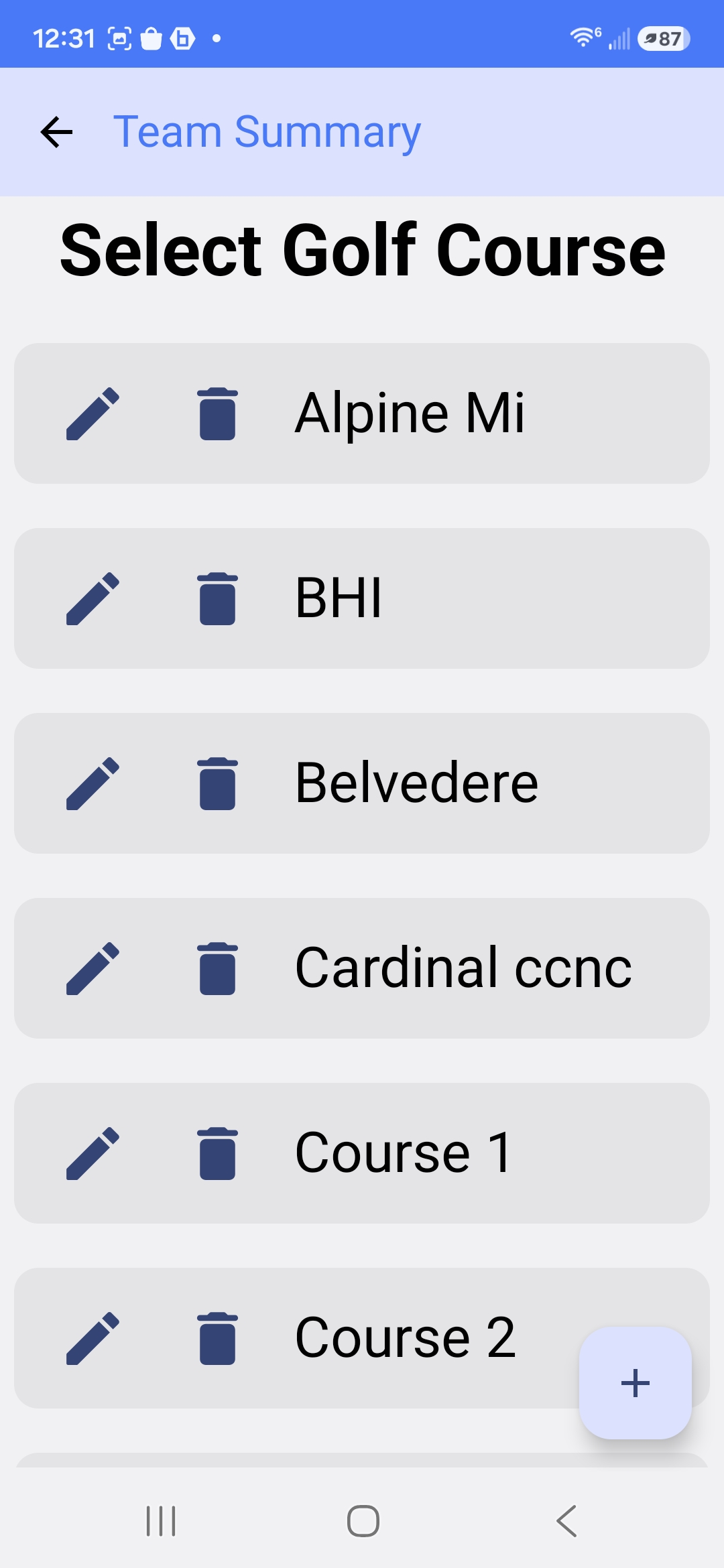
1. Select a golf course
Choose a saved course, or add a new one, right from the course list.
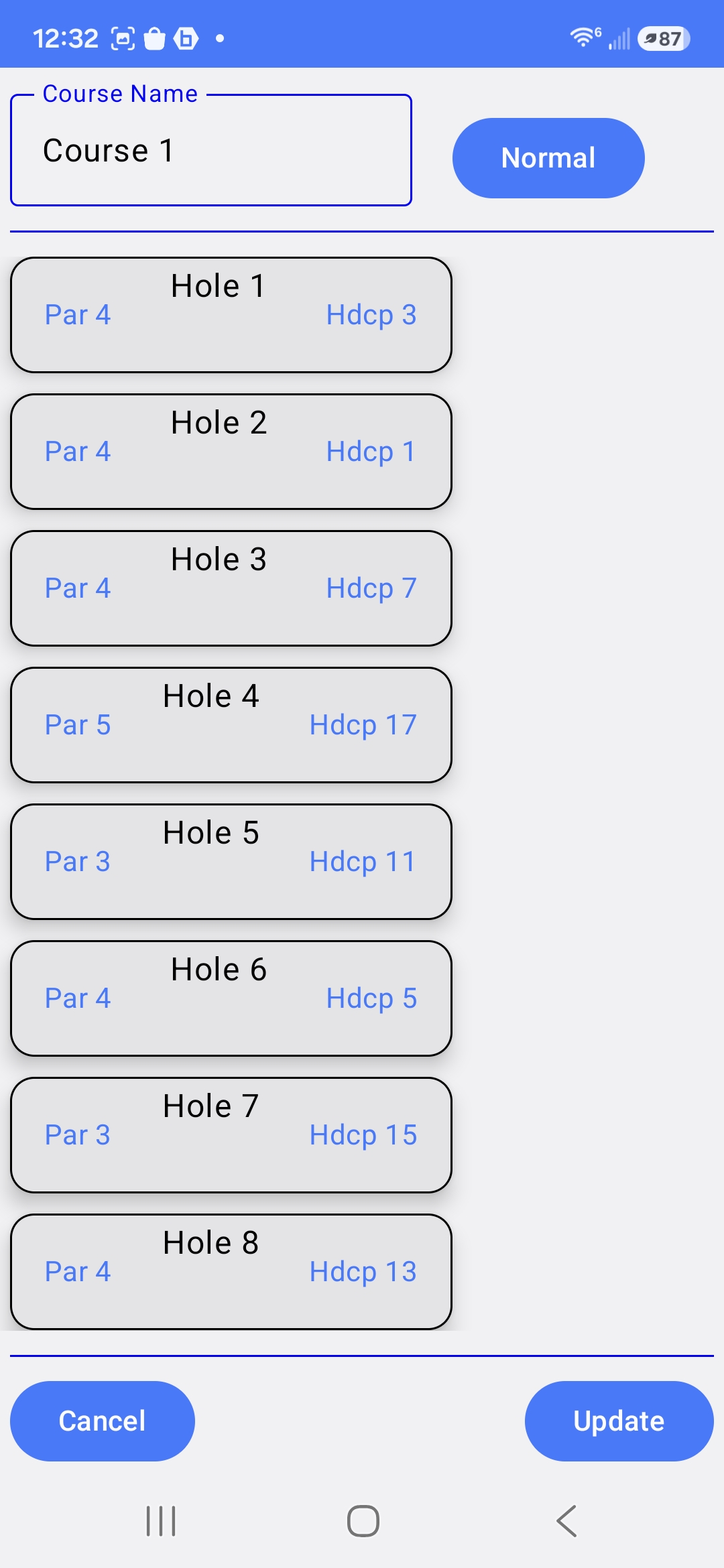
2. Configure the course
Set par and handicap index for every hole so scoring is accurate all round.
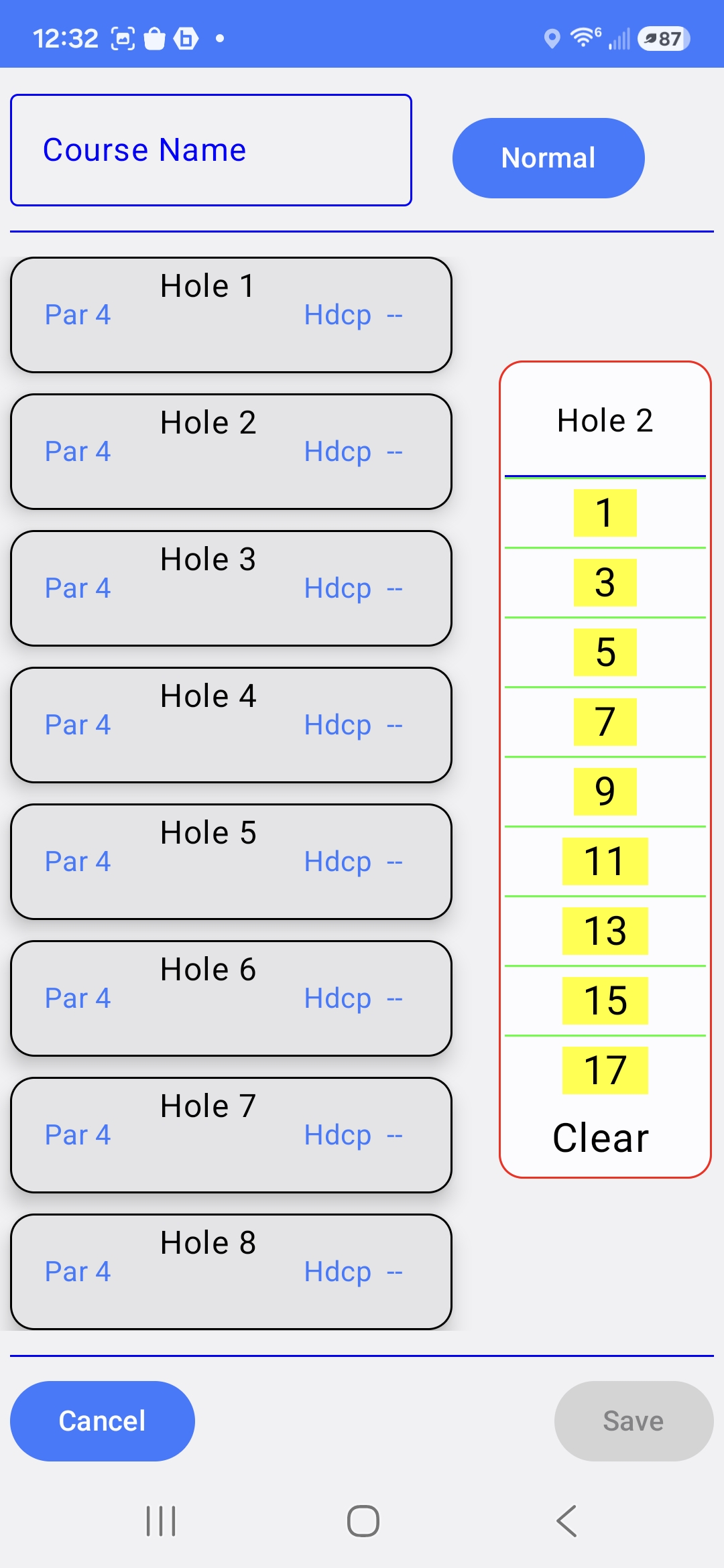
3. Fine-tune hole details
Pick the exact handicap index for a hole from a quick selector.
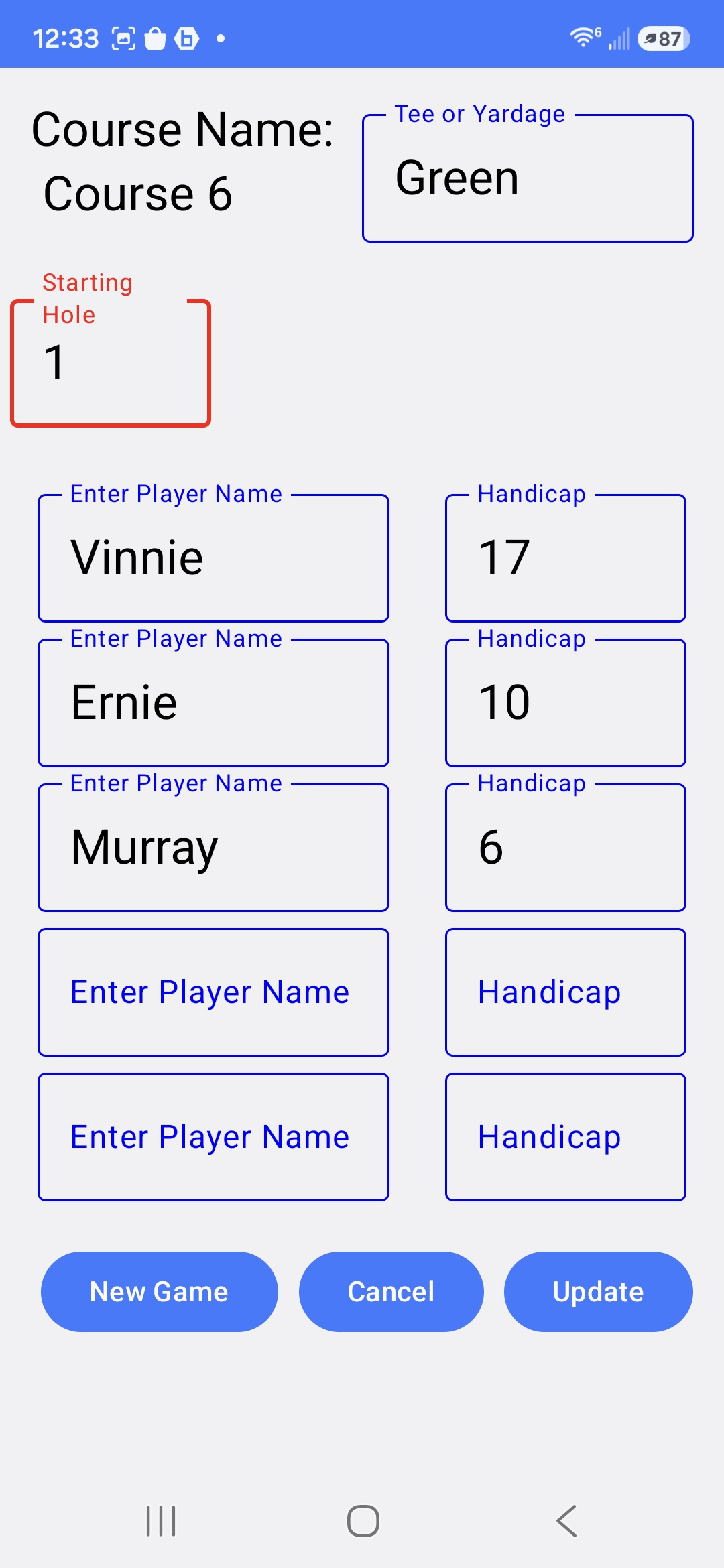
4. Set up your players
Add each player's name and handicap before starting the round.
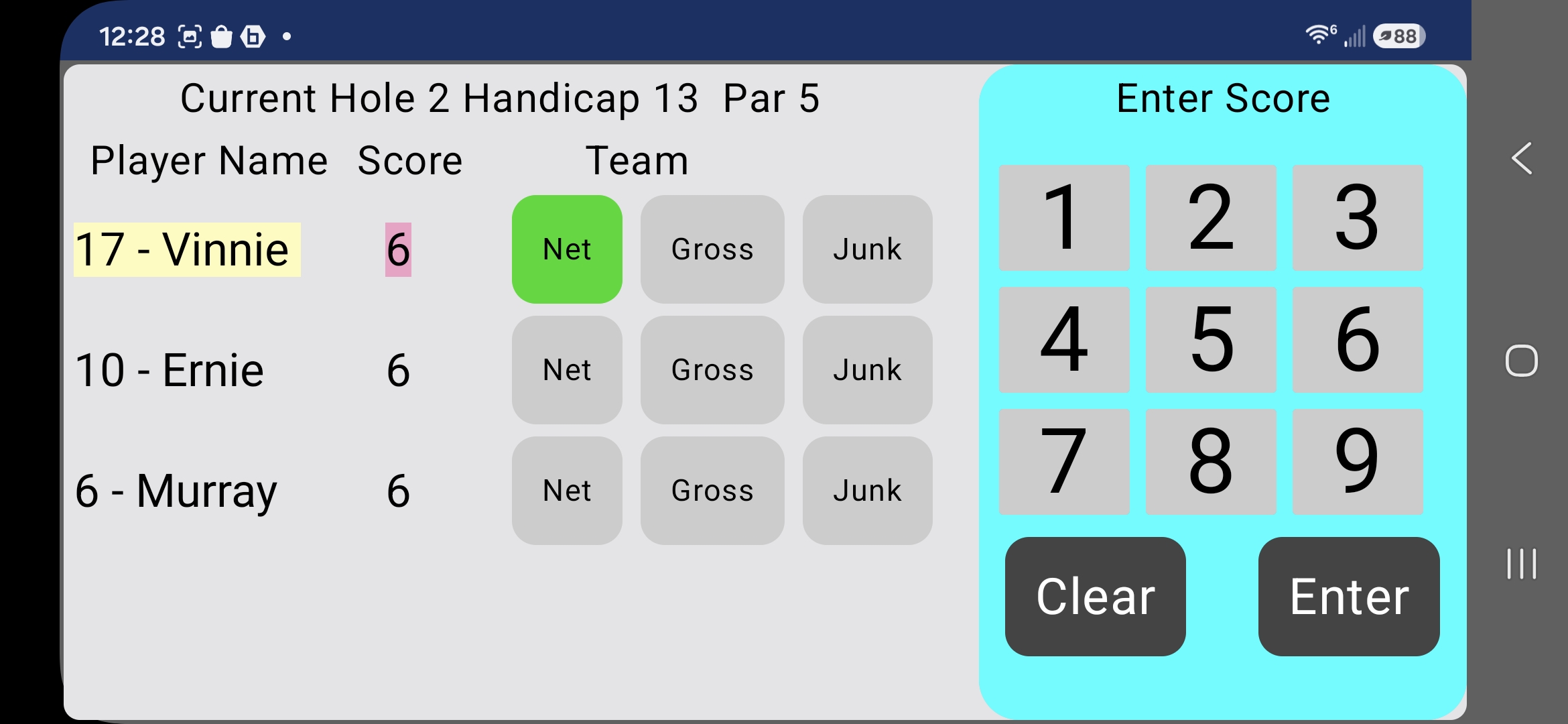
5. Enter scores hole by hole
Tap in each player's score and tag Net, Gross, or Junk as you go.
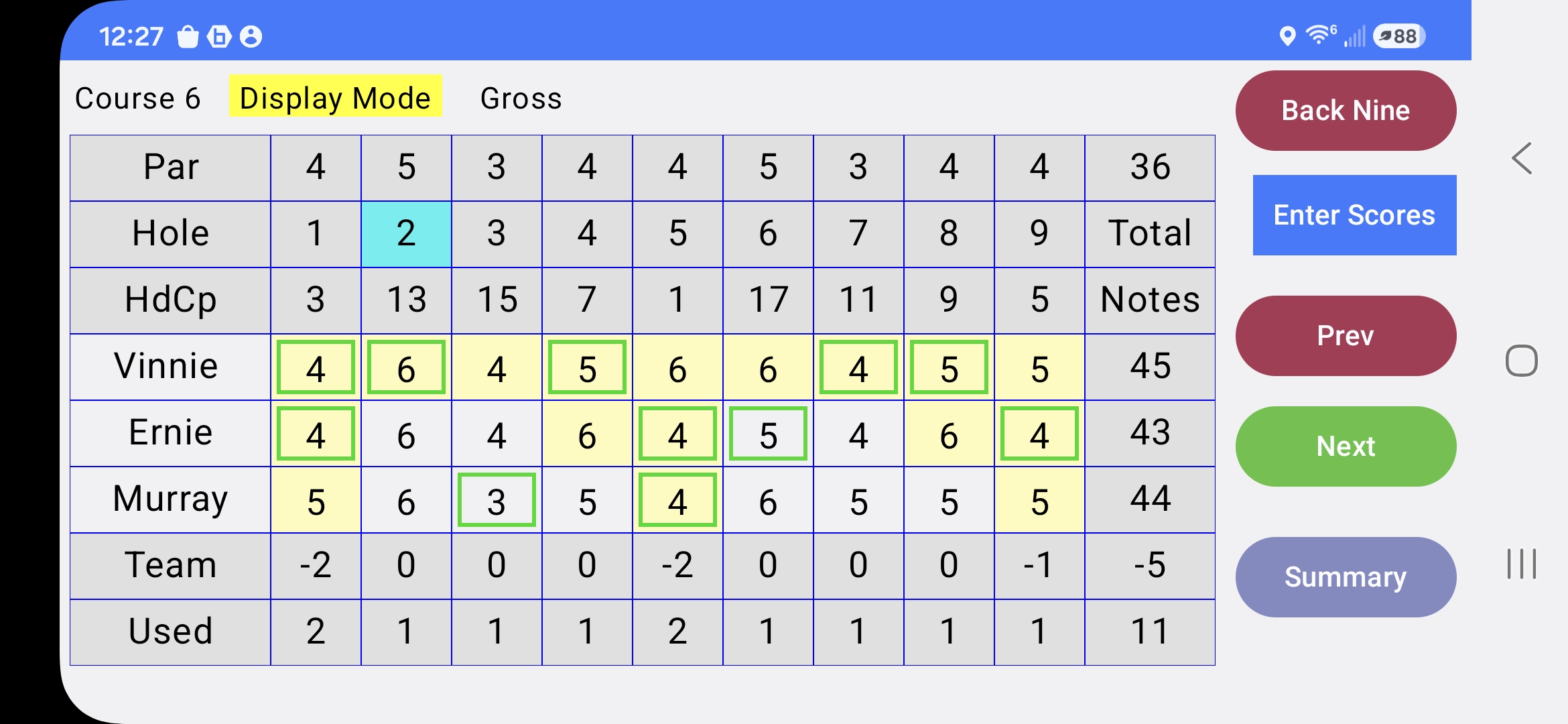
6. Follow the live scorecard
See par, scores, and running team totals — switch between Gross and Net display mode.
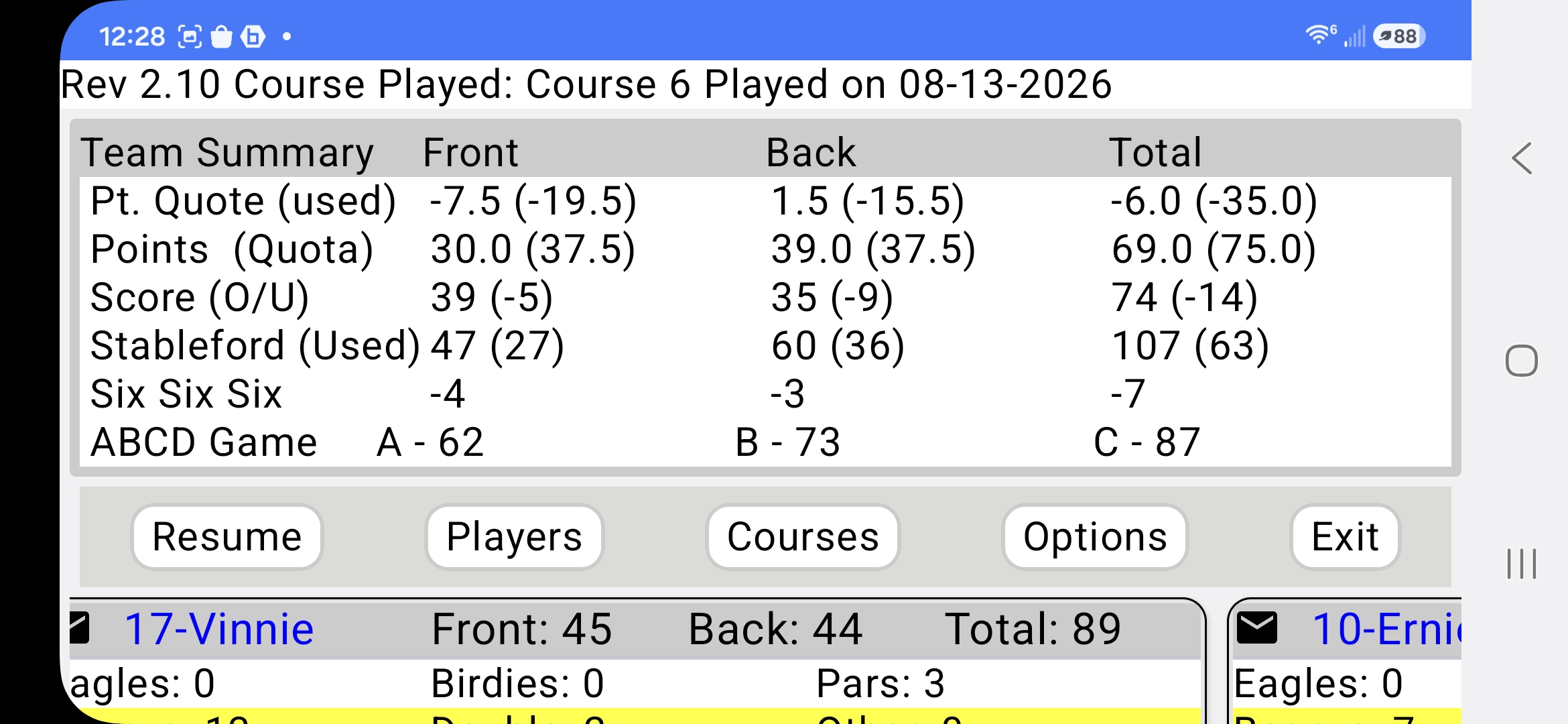
7. Review the round summary
Points Quota, Stableford, Score O/U, Six Six Six, and ABCD Game results, all in one place.
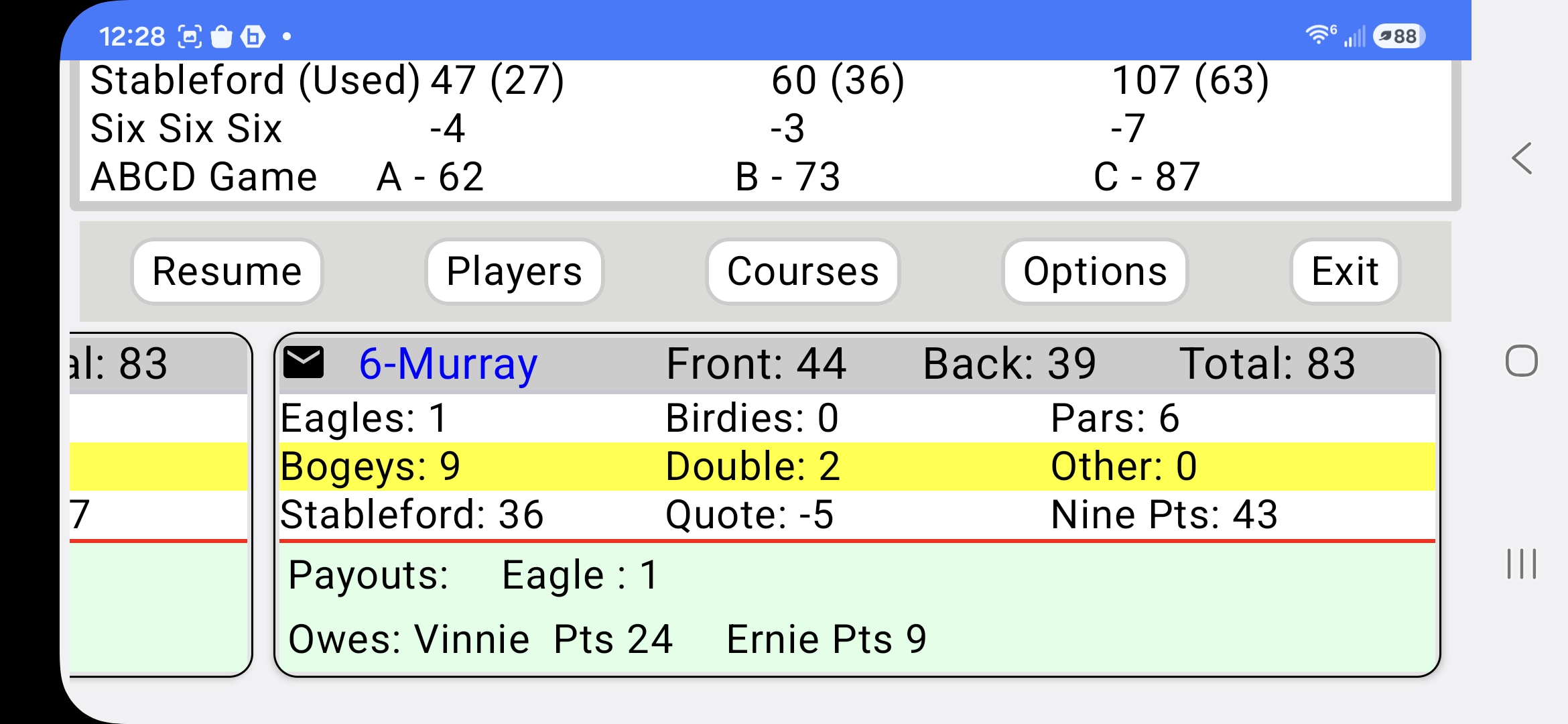
8. See who owes what
Per-player breakdown of eagles, birdies, bogeys, and points — plus payouts owed between players.